2025

Documentation
Python Code For Training
After you completed the steps before, you can now train the ML model.
The data.yaml file represents an essential element in the process of
configuring the training environment for the ML model. It centralizes information related to
the dataset structure and the parameters necessary for the training script to run correctly.
Essentially, the file defines the paths to the training and validation images, the number of
classes, and
their names, thus facilitating data access and organization in a standardized manner.
data.yaml (Simple) [Recommended For Starting]
					path: AI
					train: train/images
					val: val/images
					nc: 3

					names: ['YellowSample', 'BlueSample', 'RedSample']
Or the [BETA] version \/.
data.yaml (Advanced) [BETA] [Not really stable] [!Use only for large
datasets!]
					path: AI
					train: train/images
					val: val/images
					nc: 3

					lr0: 0.001
					lrf: 0.1
					warmup_epochs: 5

					degrees: 2.5
					perspective: 0.0
					scale: 0.01
					fliplr: 0.05
					copy_paste: 0.0

					box: 0.07
					cls: 0.4
					dfl: 1.5

					names: ['YellowSample', 'BlueSample', 'RedSample']
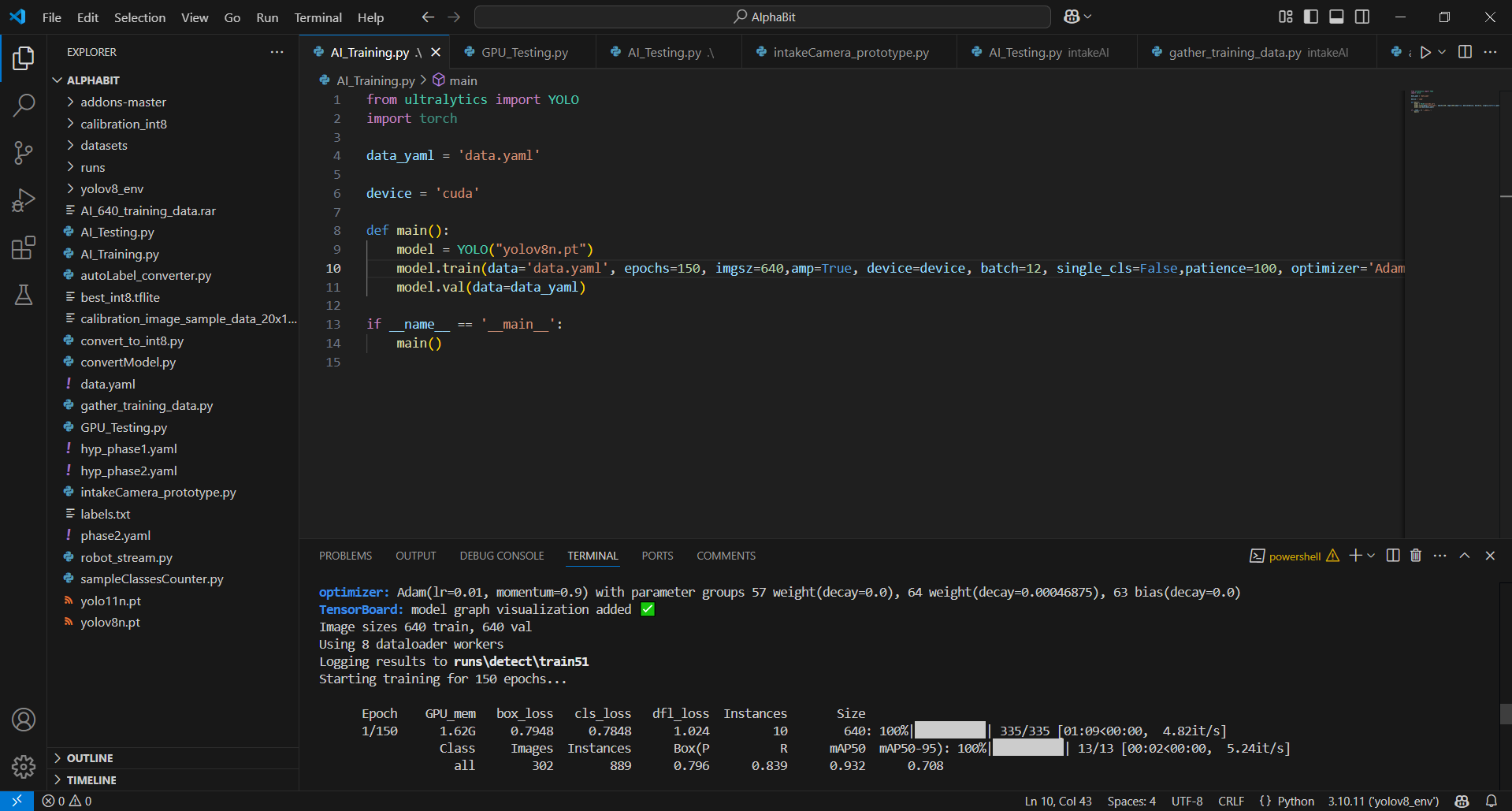
The ml_training.py file is the central component that orchestrates
the entire training and validation process of the YOLOv8n model, using the Ultralytics library and
PyTorch infrastructure. Here is a technical description of each section and the parameters used:
1. Module import and basic settings:
At the beginning, the YOLO class is imported from the Ultralytics library, essential
for
manipulating and training YOLO networks, as well as PyTorch, which handles tensor operations
and GPU execution. The variable indicating the path to the configuration file (data.yaml)
contains all the details about the dataset (path to training and validation images, number of
classes and their names). Additionally, setting the device to "cuda" ensures that
training will be performed on the GPU, significantly accelerating calculations.
2. Model initialization:
The model is instantiated using a pre-trained weights file (yolov8n.pt).
This approach offers a robust starting point, as the network benefits from pre-extracted knowledge,
accelerating the convergence process and improving initial performance.
3. Training configuration:
The training process is triggered with a series of critical hyperparameters, each
playing an essential role in optimizing model performance:
ml_training.py
from ultralytics import YOLO
					import torch

					data_yaml = 'data.yaml'

					device = 'cuda'

					def main():
						model = YOLO("yolov8n.pt")
						model.train(data='data.yaml', epochs=150, imgsz=640,amp=True, device=device, batch=12, single_cls=False,patience=100, optimizer='Adam', momentum=0.9, weight_decay=0.0005, close_mosaic=25)
						model.val(data=data_yaml)

					if __name__ == '__main__':
						main()
Examples
Setup
2D Sample Detection
3D Sample Detection
Training ML
Python Code For Training
Examples